1.1.1. Create an account#
In order to use my services, you need to have a tiararodney.com account.
1.1.1.1. Visit accounts.tiararodney.com#
When accessing any of my services and logging in, you are automatically redirected to the account management. Alternatively, you can visit accounts.tiararodney.com directly.
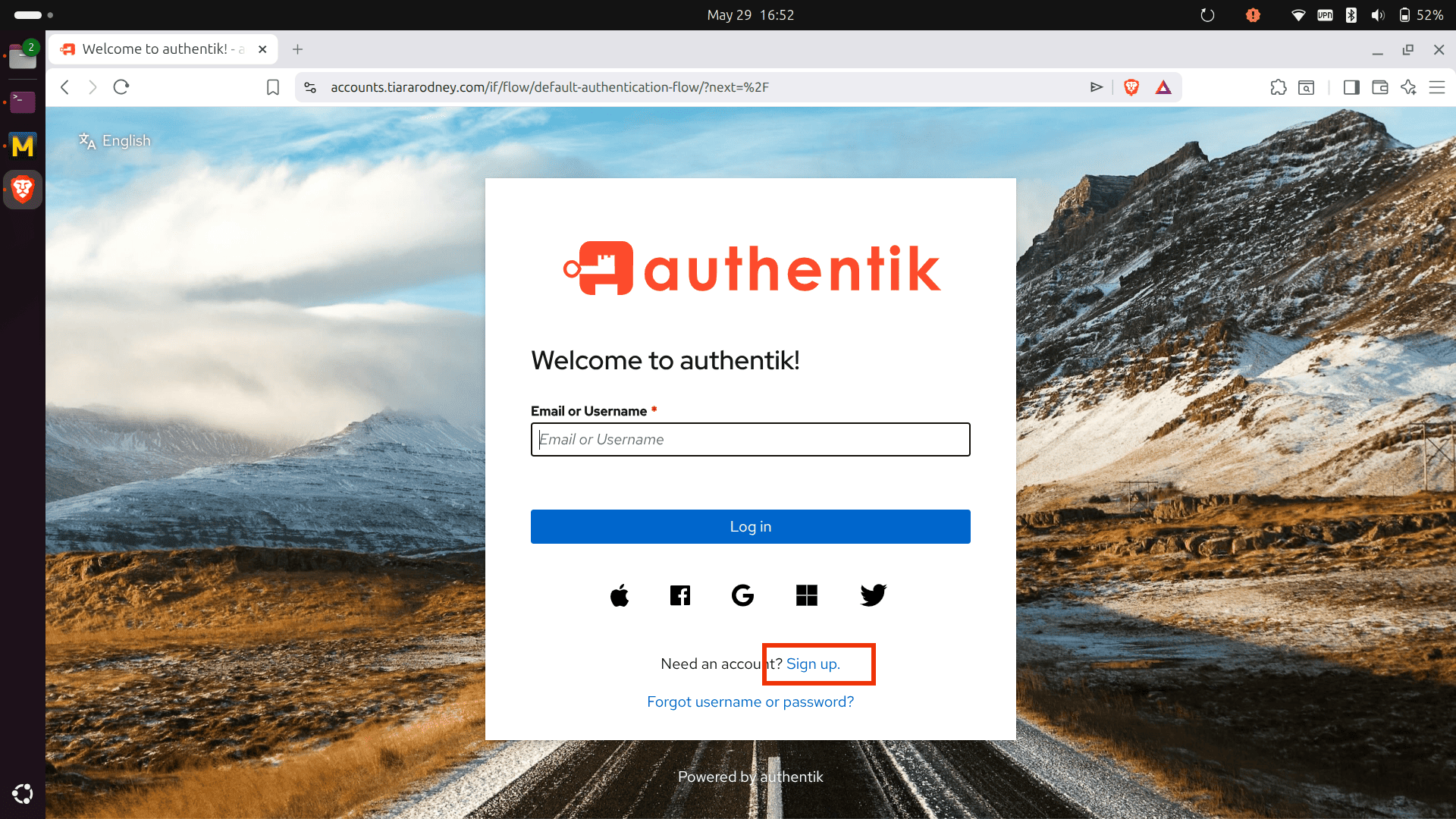
1.1.1.2. Start Sign-Up process#
Once you’re on the login page, click on “Sign up”.
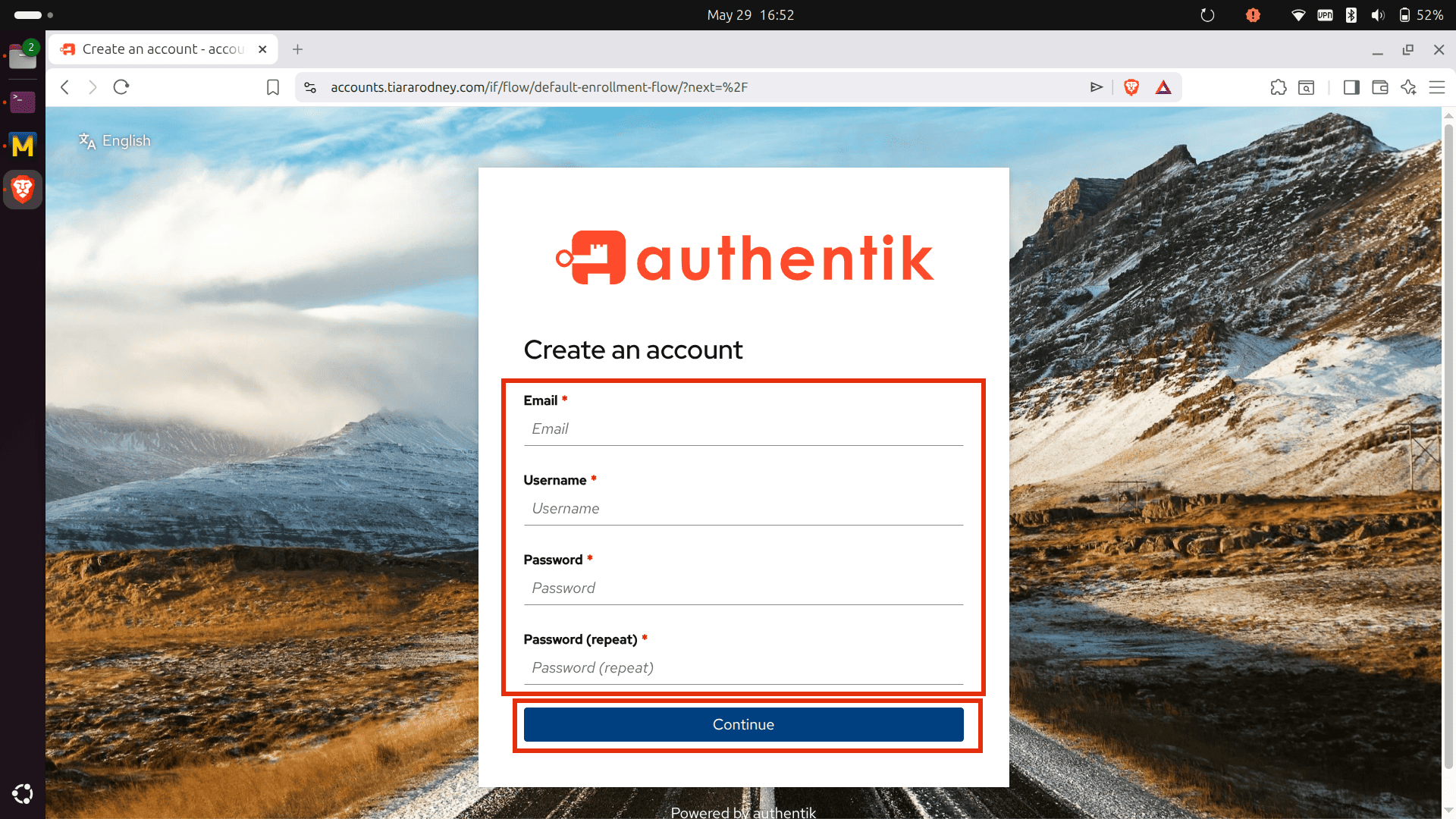
1.1.1.3. Enter your account details#
Next, enter your account details.
Note
Your e-mail address is only stored on my server and transferred to Proton AG for sending you e-mails regarding your account with me. It is not made public, or shared with anyone else. Your data also does not leave the European Union.
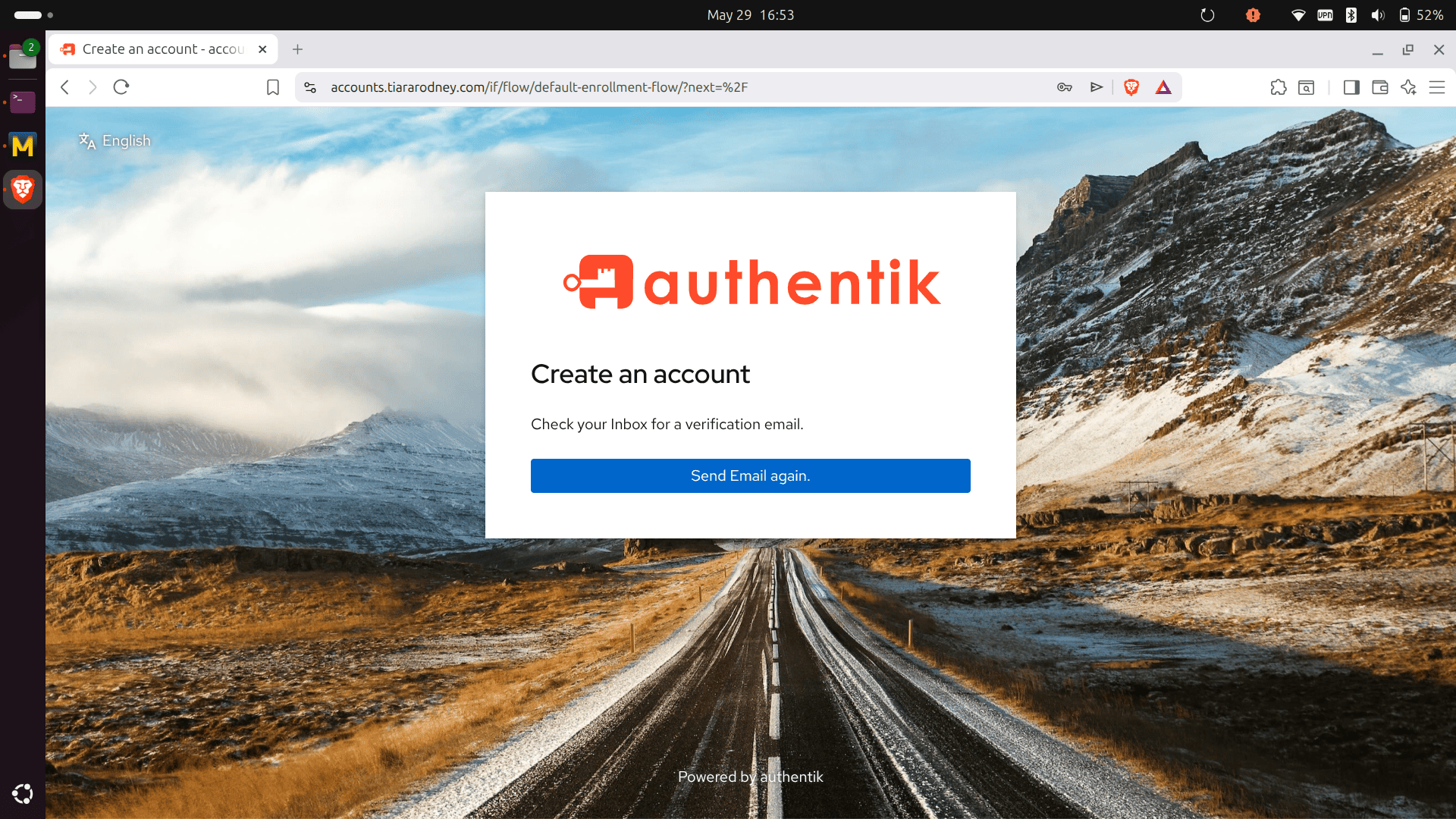
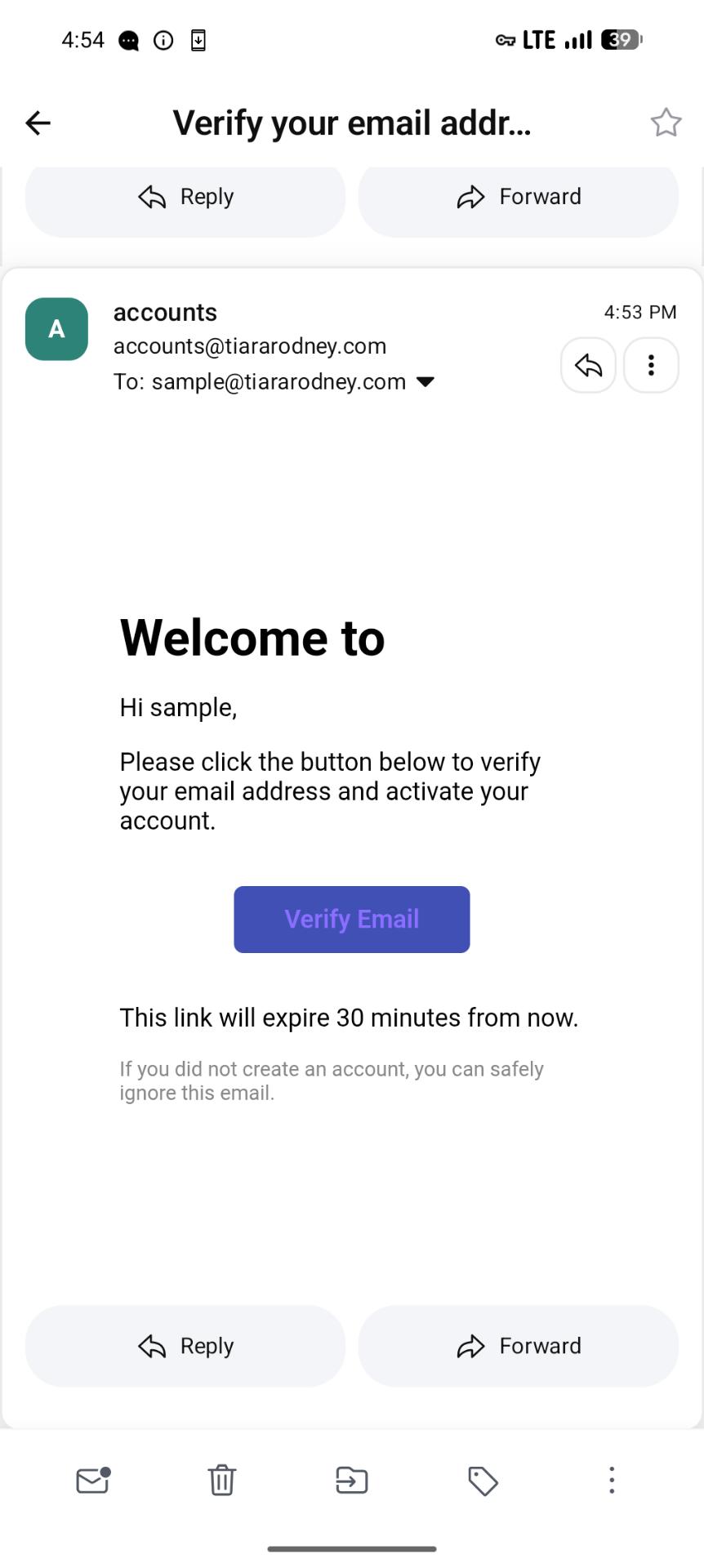
1.1.1.4. Confirm e-mail address#
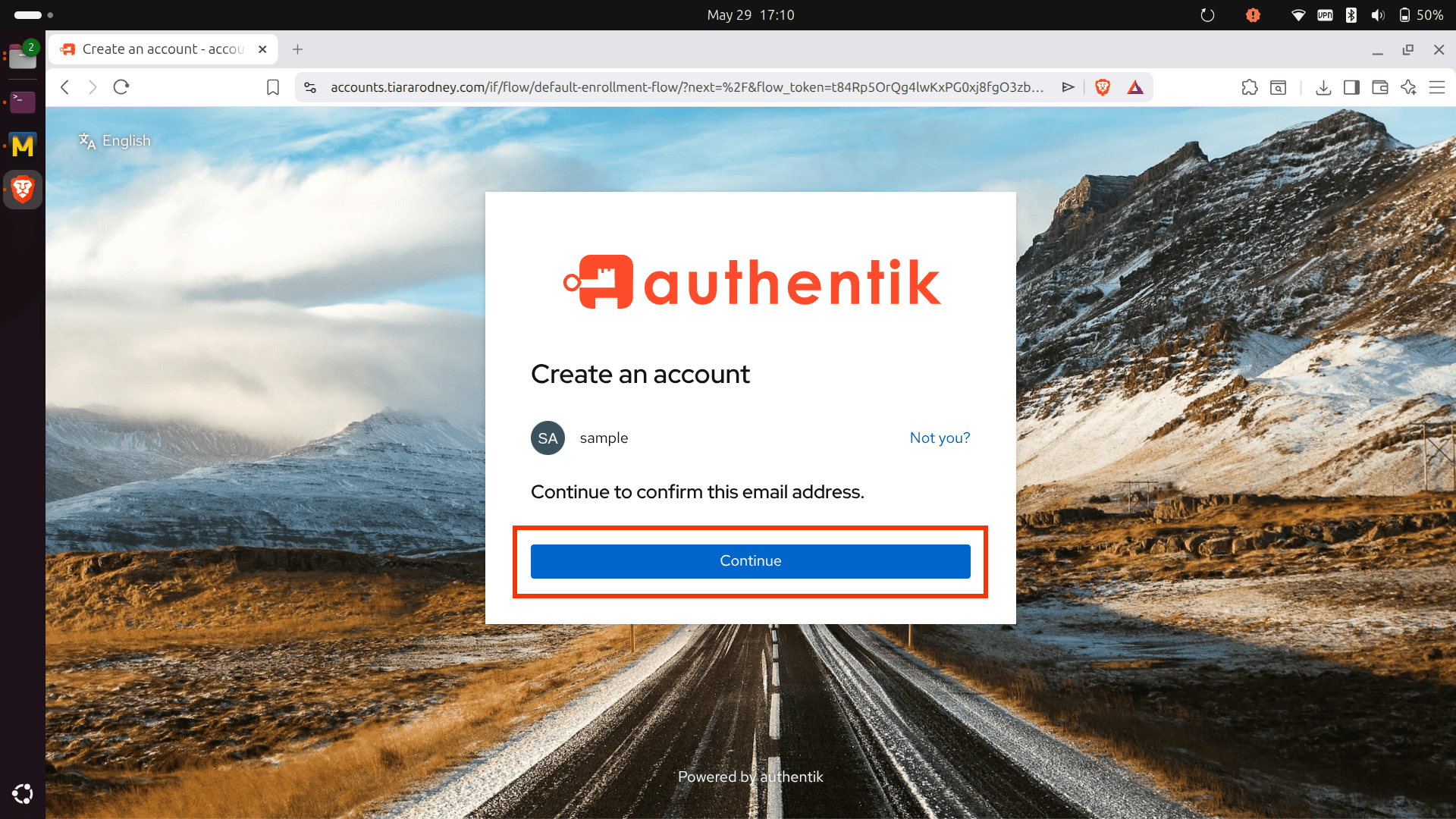
You will receive an e-mail for confirming the e-mail address linked to your account. Click on “Verify email”, which will open a browser window.
Click on “Continue”. That’s all. Navigate back to the service you originally wanted to use, e.g. chat.tiararodney.com
Warning
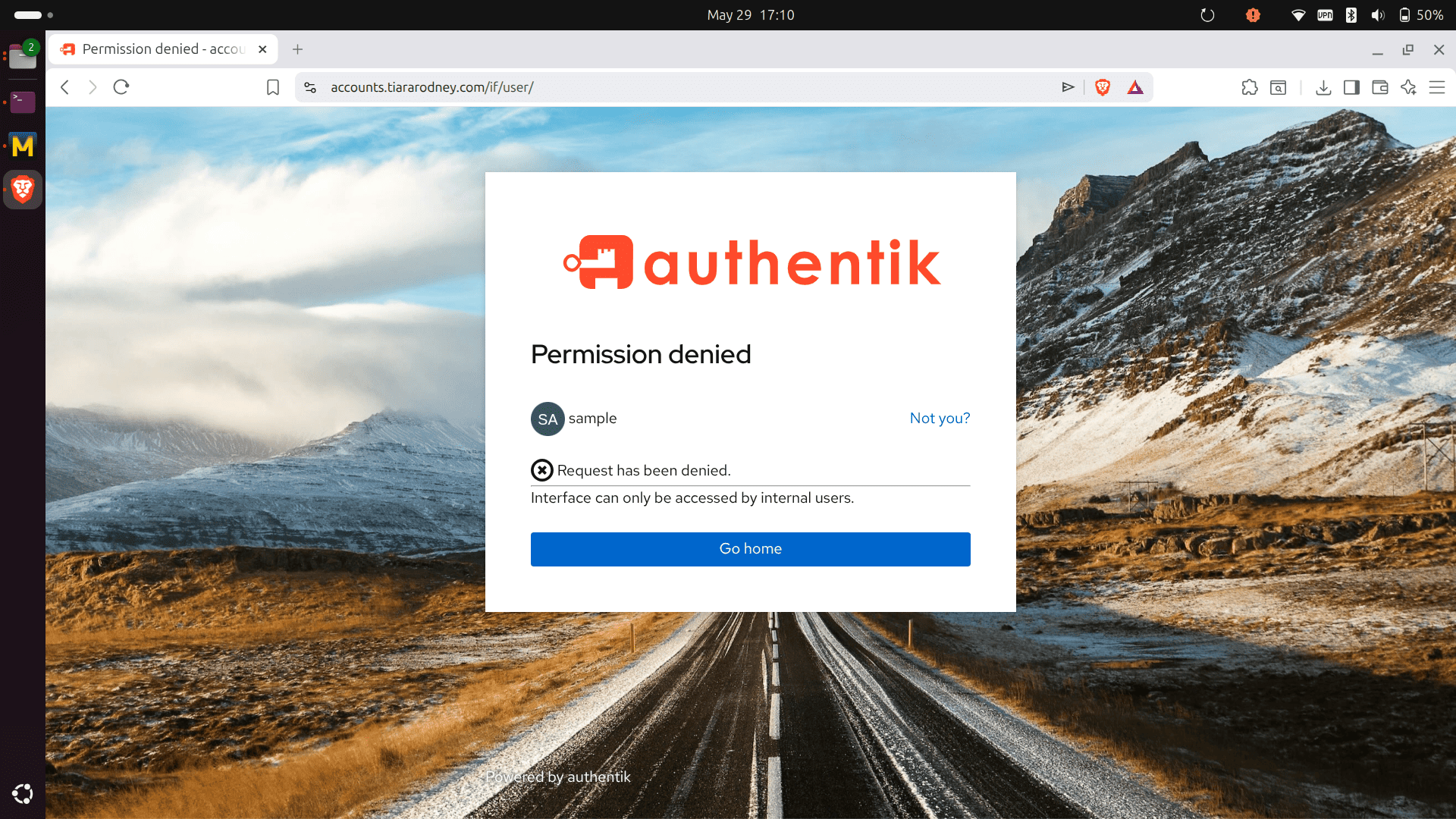
I haven’t yet configured the home screen for account management. Once you completed the sign-up, you will see an error notice. Just ignore it
Comments
Feel free to leave a public comment on my 1.1.1. Create an account blog post.
Before you comment...
If you don't have an account at accounts.tiararodney.com yet, feel free to create one during sign in, after you've read and agreed to my Privacy and Acceptable Use Policy